No products in the cart.


Understanding the “No Display and Auto-Restart” Problem in Desktop Computers
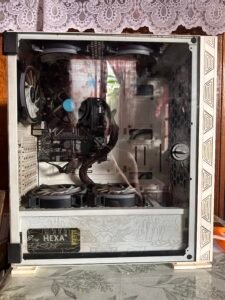
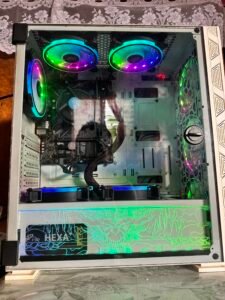
One of the most frustrating experiences for desktop PC users is turning on the computer only to face a completely blank screen combined with repeated automatic restarts. This issue, often described as “no display with continuous rebooting” or “black screen and looping restarts,” leaves the machine seemingly powered on—fans spinning, lights glowing—but unable to show anything on the monitor while cycling through power cycles every few seconds or minutes.
What Does This Issue Look Like?
In a typical scenario, when the power button is pressed:
- The desktop computer powers up with the usual signs of life: case fans, CPU cooler, and power supply fan activate.
- LED indicators on the motherboard or case may light up.
- However, the connected monitor displays nothing—no BIOS splash screen, no logo, no error messages, and often no “No Signal” message if the monitor detects no input at all.
- After a short period (sometimes just seconds), the system abruptly shuts down and restarts on its own, repeating the cycle indefinitely.
- This loop can continue until the power is manually disconnected or the issue resolves intermittently (though rarely).
Users frequently report this happening right after a new PC build, hardware upgrade, component replacement, or even after months of normal use. The problem can appear suddenly, turning a previously working system into an unresponsive brick.
Why Is This Combination of Symptoms So Common?
The “no display + auto-restart” behavior is frequently linked to the computer’s inability to complete the initial Power-On Self-Test (POST) process. POST is the preliminary hardware check performed by the motherboard’s BIOS or UEFI firmware before handing control to the operating system. When critical components fail this check or cause instability during early boot stages, the system may lack video output and trigger protective restart mechanisms.
Impact on Users
This issue is particularly disruptive because:
- It prevents access to the operating system entirely.
- Basic diagnostics become challenging without any on-screen feedback.
- It often occurs in new builds or after upgrades, causing significant delays and frustration for DIY builders, gamers, and professionals relying on their desktops.
- In severe cases, prolonged looping can stress components further, potentially leading to additional wear.
Many users encounter this problem across forums, tech communities, and support channels, with reports spanning various hardware brands, configurations, and ages of systems. While the exact root cause varies from case to case, the shared symptoms make it one of the most recognizable and anxiety-inducing hardware failures in desktop computing.
If your desktop PC exhibits these exact signs—no display output paired with persistent automatic restarting—it points to a deeper hardware-related challenge that requires careful attention to restore normal functionality.
Unlock to see the step-by-step procedure on how to fix this issue.
This content is locked
Login To Unlock The Content!